 Toolbox
Batch Image Compressor
Drop dozens or hundreds of images, compress them all in your browser, then download one ZIP. Images are never uploaded.
Drag images here, or click to choose files
Why compress in the browser at all?
Most online compressors need your file on their server before they can shrink it. That means your product photos, customer images or unreleased designs sit on someone else's disk, under someone else's retention policy. This tool never sends your images anywhere: the browser's own canvas encoder does the work, so the file only ever moves from your disk into memory and back out as a download.
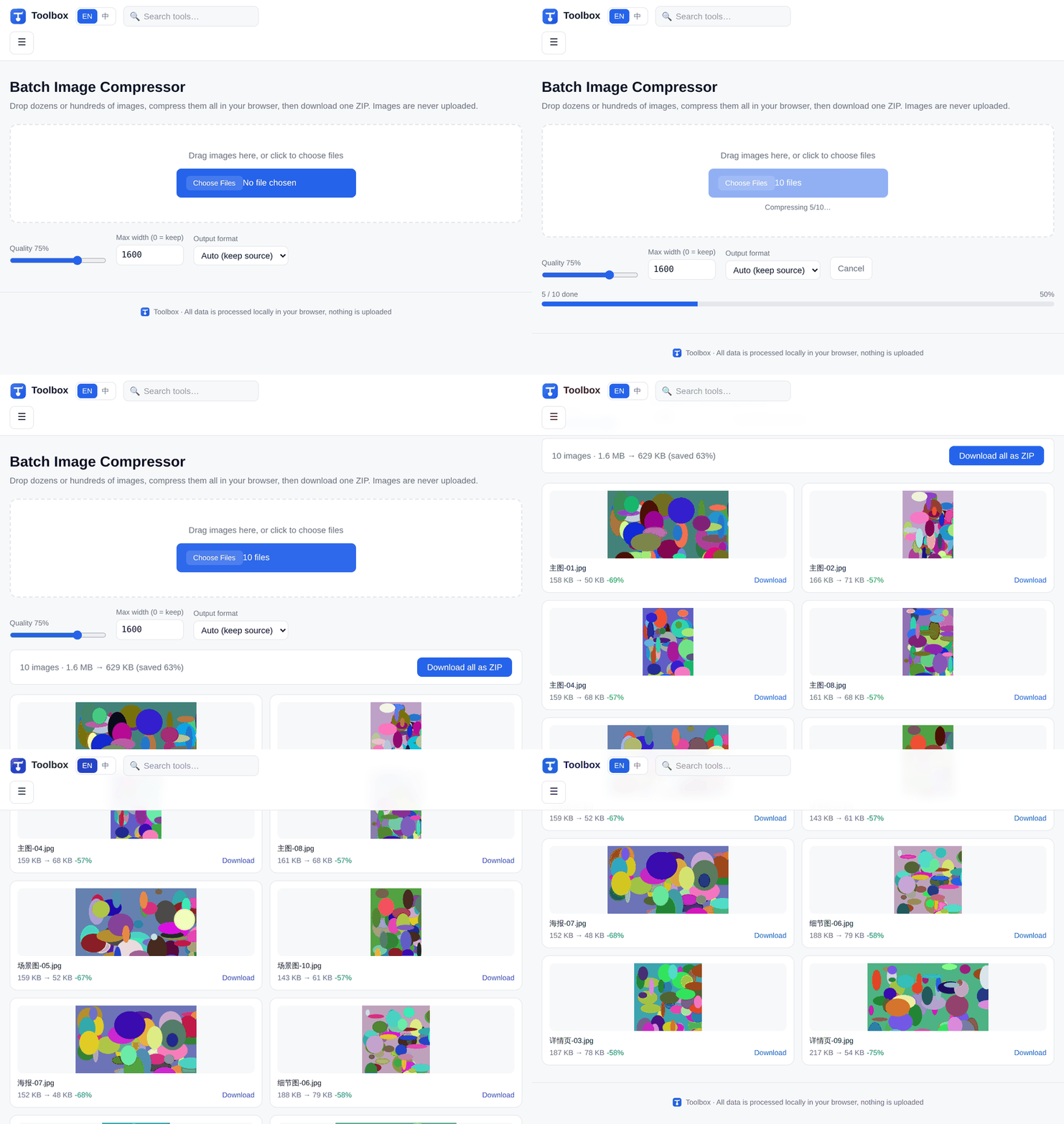
Real recording: 10 images, 1.6 MB → 629 KB, all packed into one ZIP.
Compared with TinyPNG
| Aspect | Toolbox | TinyPNG |
|---|---|---|
| Images uploaded to a server | No | Yes |
| Images per batch (free) | No limit (tested with 100+) | Up to 20 images, 5 MB each |
| Account required | None | Free tier, account for more |
| Works offline after load | Yes | No |
| ZIP download | Yes | Yes |
TinyPNG figures come from its homepage ("Up to 20 images, max 5 MB each", checked 2026-10-20). TinyPNG is a good product — this table only points out the architectural difference, not a judgment on quality.
Measured, not estimated
Input      10 JPEG, 1200-2400 px wide, total 1689 KB
Settings   quality 75%, max width 1600 px, format auto
Output     628 KB total (63% saved)
ZIP        10 entries, CRC verified, all files open correctly
Time       under 2 s on a laptop, ~3 s on a mid-range Android
Common questions
- Does it work with hundreds of images at once?
- Yes. Images are processed one at a time in a loop that yields to the browser between each file, so the page stays responsive and the progress bar keeps moving. Very large batches are limited by your device memory, not by us.
- Why does my iPhone photo fail to compress?
- iPhones save photos as HEIC by default, and no browser can decode HEIC. Export the photo as JPEG first (Settings → Camera → Formats → Most Compatible, or share it as a file), then it will compress normally.
- Is there a file size or count limit?
- No server-side limit, because nothing is uploaded. The only real constraint is your device's memory. Very large images (over ~50 megapixels) may fail on older phones, and the tool will tell you which ones.